Cold Turkey alternative
Cold Turkey alternative: Talysman vs Cold Turkey
Free forever for 5 sites · or try Pro free for 14 days
The short answer
If you want a Cold Turkey alternative that still has an emergency exit, Talysman is one: sessions end early only with a physical USB key, and if the key is lost you get five keyless emergency unlocks per computer, for life.
Cold Turkey Blocker is a serious desktop blocker and its locks are stronger than most. It offers a timer lock, a random-text lock you retype to unlock, a restart lock, time-range and schedule locks, a password lock on Pro, and Frozen Turkey, which locks you out of the whole computer. They resolve one of two ways: at the keyboard (wait, retype, restart), or not at all until the lock expires. Its user guide documents no emergency override.
Talysman sits between those. The escape costs distance instead of patience. Ending a session early requires a paired USB drive to be physically plugged into the machine, and the drive is in whatever room you left it in. Patience is something a frustrated person has plenty of at 2pm. A walk to the kitchen is the thing the impulse doesn't survive.
The difference in one interaction
Everything before the third beat is identical in both products.
- The setup
Sites and desktop apps on a blocklist. A session running. Same as you have now.
- The urge
The work goes sideways around minute forty and you go looking for the off switch.
- The lock
In a timer-or-typing lock, there's something you can do right now: wait, retype, restart. In Talysman, the greyed-out Turn off button says “Insert your key to turn off the blocker” and the key indicator is red. There is nothing to do at the desk.
- The walk
The drive is in the kitchen. Getting it takes ninety seconds of deliberate, upright, fully conscious effort — which is about eighty-five seconds more than the impulse lasts.
- The outcome
You go back to work. Not because you were stopped, but because the cheapest thing available was finishing the paragraph.
What Cold Turkey gets right
It blocks below the browser, it covers desktop applications, and its locks were designed by someone who clearly understood that the user is the adversary. If your blocker is a browser extension with a disable toggle, moving to Cold Turkey is a real upgrade and you should do it.
We're not here to tell you it doesn't work. We're here for the specific person for whom it stopped working — the one who has learned exactly how long the restart takes, or who types the random string fast now, or who found that the timer is perfectly survivable with a phone in hand.
Where the two differ
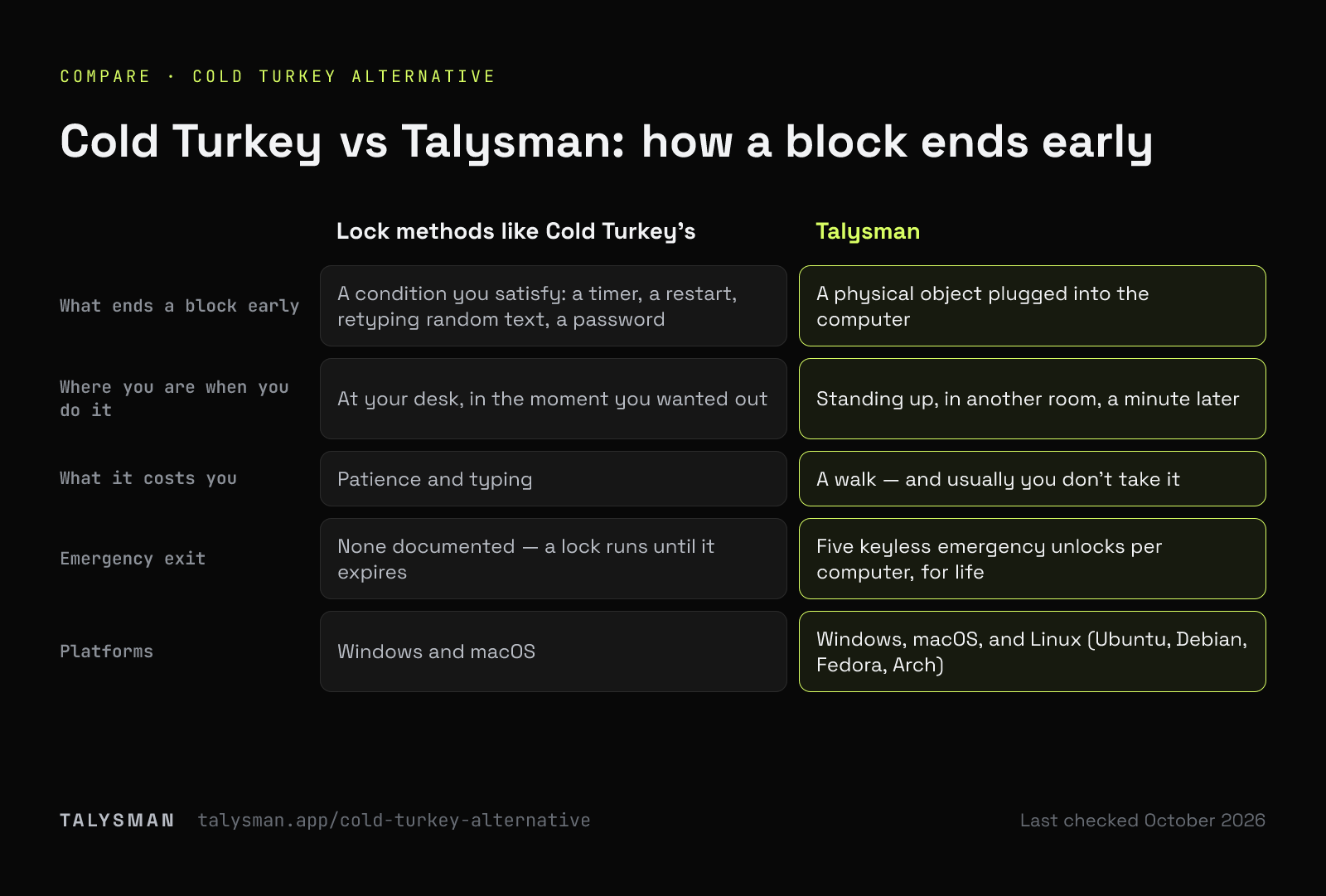
Same category, different bet about what actually stops a person mid-impulse.
| Lock methods like Cold Turkey's | Talysman | |
|---|---|---|
| What ends a block early | A condition you satisfy: a timer, a restart, retyping random text, a password | A physical object plugged into the computer |
| Where you are when you do it | At your desk, in the moment you wanted out | Standing up, in another room, a minute later |
| What it costs you | Patience and typing | A walk — and usually you don't take it |
| Who can undo it | You, since you set the condition | Whoever is holding the drive, which is normally still you — just later |
| The absolute setting | Locks that run until they expire, and Frozen Turkey for the whole computer | Locked scheduled windows that even the key won't end early |
| Emergency exit | None documented — a lock runs until it expires | Five keyless emergency unlocks per computer, for life |
| Platforms | Windows and macOS | Windows, macOS, and Linux (Ubuntu, Debian, Fedora, Arch) |
| What you buy | A one-time Pro license; the basic blocker is free | Free for the core mechanism; Pro by subscription or a one-time lifetime payment. The key is a USB drive you already own |
Talysman isn't affiliated with Cold Turkey. Cold Turkey's lock types and platforms are from its user guide, which is the authority on what it does and costs today.
If you don't want a completely irreversible lock
Most people who leave Cold Turkey aren't leaving because it's too weak. They leave because an unbreakable lock is scary to start.
A lock with no way out works until the day something real happens mid-session. Then you learn to set shorter blocks, or to skip them on days that might go sideways. That's how a strict blocker ends up protecting fewer hours than a lenient one.
Talysman keeps two exits, neither of them on your desk. The everyday one is the key: walk to wherever you left it, plug it in, end the session. The emergency one is for a lost or broken key: five keyless emergency unlocks per computer, for life. Using one turns everything off, even locked windows, resets your streak, and can never be undone. Five is enough for a real emergency and too few to spend on a bad afternoon.
What you'd be getting
The same enforcement depth
A privileged background service, not a browser extension. Closing the app, killing the process, and rebooting all leave the session running.
A key-gated uninstaller on Windows and Linux
It refuses to remove the service mid-session without a paired drive present, so uninstalling isn't the loophole. macOS has no uninstaller to put that check in.
Websites and desktop apps
Blocklist, allow-only, and block-all-internet modes, covering apps as well as tabs.
Schedules that arm themselves
Recurring windows start without you, including on the mornings you'd have skipped it.
Multiple keys, multiple machines
Pair spares so a lost drive isn't a lockout, and pair the same drive on your laptop and desktop.
Windows, macOS and Linux
Windows 10 and 11, macOS on Apple Silicon and Intel, and Linux (Ubuntu, Debian, Fedora, Arch), with Chrome and Firefox extensions.
When you shouldn't switch
If your current locks are holding, stay. A blocker you've already configured and still respect is worth more than a better mechanism you have to set up again.
Switch if — and only if — you recognise the specific failure this fixes: you get out, reliably, by satisfying whatever condition you set, and you've stopped believing your own locks. That's the problem a physical key solves. It isn't a better blocklist; it's a longer distance between the impulse and the exit.
Frequently asked questions
Can I keep both?
Nothing stops you, though two enforcement layers on one machine is more setup than most people want to maintain. Most people who switch pick one and put the effort into a blocklist they trust.
Is there an equivalent of a lock that can't be ended at all?
Yes: mark a scheduled window locked and even a paired key won't end focus early during it. It releases on its own when the window closes, and the only way out before then is spending one of your five lifetime emergency unlocks. It's opt-in, and it's the setting to use for hours you know you'll try to negotiate with.
What does it cost?
Free covers the entire mechanism — pair a key, block 5 sites, run locked sessions — with no card. Pro adds unlimited sites, desktop app blocking, schedules and unlimited modes. See pricing.
Last checked
Try the lock you can't satisfy from your chair
Pair a drive, start a free session, and put the key somewhere that costs you a walk.
Start focusing freeFree forever, no card. Want schedules and app blocking? Try Pro free for 14 days.