Focus app for remote work
Focus app for remote workers: create a physical boundary for work
Free forever for 5 sites · or try Pro free for 14 days
The short answer
Remote workers stop bypassing their own website blocker by moving the off switch off the desk. Talysman blocks distracting sites and apps on your work computer, and ending a focus session early needs a paired USB key plugged in. Keep the key in another room during work hours and the boundary the office used to provide comes back.
Work tools you don't put on the list — Slack, email, video calls — keep working.
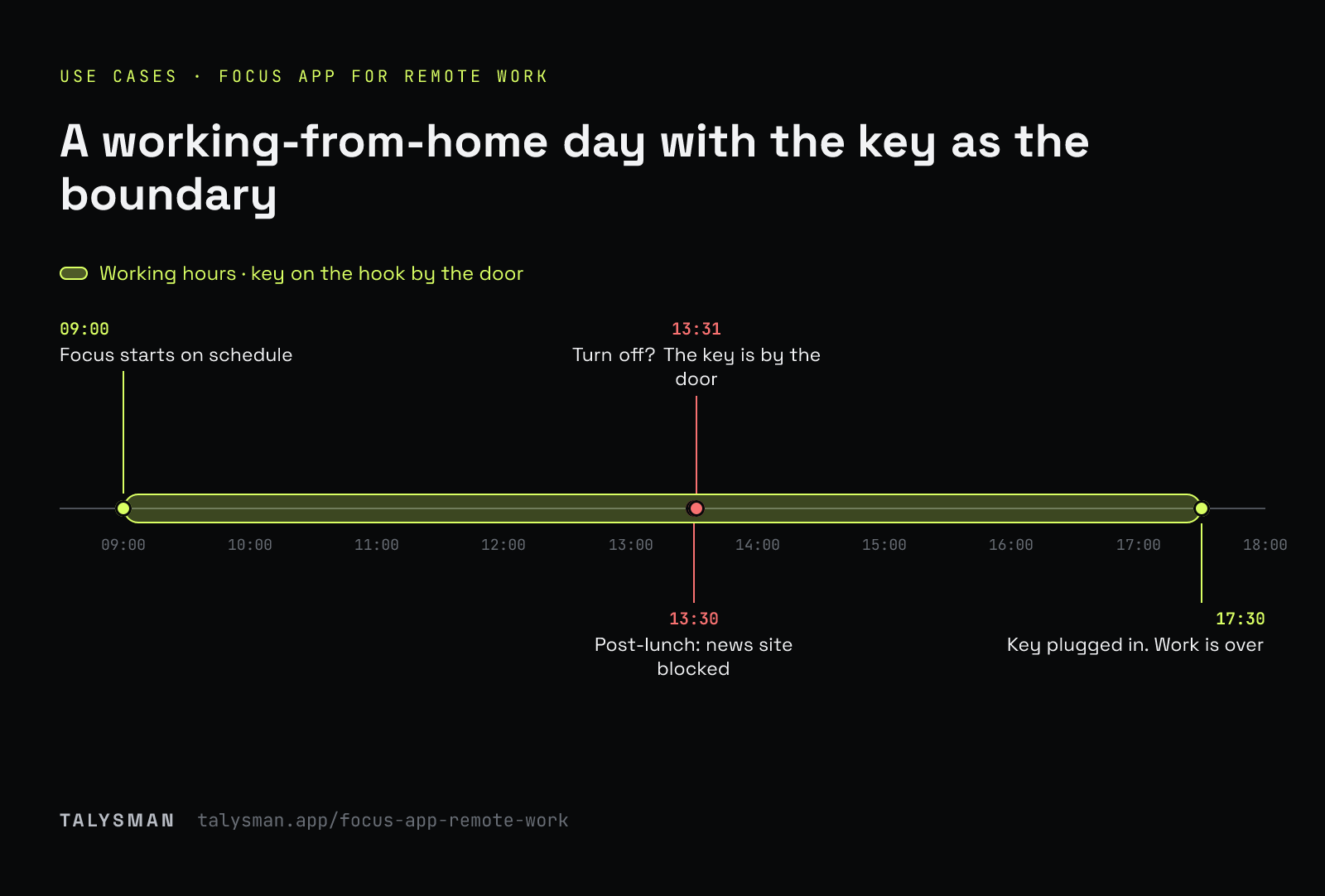
A working-from-home afternoon
- 13:30
Post-lunch slump. You open a news site. Blocked.
- 13:31
You open Talysman. “Insert your key to turn off the blocker.” The key is on the hook by the front door.
- 13:32
You get water instead and go back to the doc.
- 17:30
You fetch the key and end the session. Work is over.
A remote-work setup
Schedule your focus blocks
Recurring windows start themselves, even if you forget (Pro).
Block the drift, not the job
Feeds and news blocked; LinkedIn and X kept with feeds hidden if you need them for work.
Give the key a home
A hook by the door, a drawer in another room. When it's there, you're working.
End the day with the key
Plug it in when you're done. That's the commute.
Frequently asked questions
Freedom vs Talysman for a remote worker?
Freedom if your phone is the main problem — it blocks across devices. Talysman if your work computer is, and you keep ending sessions early. Full comparison.
Will it block Slack or Zoom?
Only if you add them. A blocklist only blocks what's on it.
Can I use it on a work laptop?
It needs admin rights to install its service. Check your employer's policy.
Bring back the boundary
Pair a drive, schedule your focus hours, and give the key a home.
Start focusing freeFree forever, no card. Want schedules and app blocking? Try Pro free for 14 days.