USB drive as a focus key
Turn a USB drive into a distraction blocker
Free forever for 5 sites · or try Pro free for 14 days
The short answer
Install Talysman, pair a USB drive, and that drive becomes the key to your focus sessions. While it isn't plugged in, blocked websites and desktop apps stay blocked — ending a session early requires the background service to physically see a paired drive on the machine. Take the drive to another room and there is no off switch in the room you're in.
Any standard drive works. Nothing to buy, nothing to wait for, and the drive keeps working as an ordinary drive — you can still put files on it.
What the drive actually does
The check happens at the moment you ask to unlock — not before, and never on a timer.
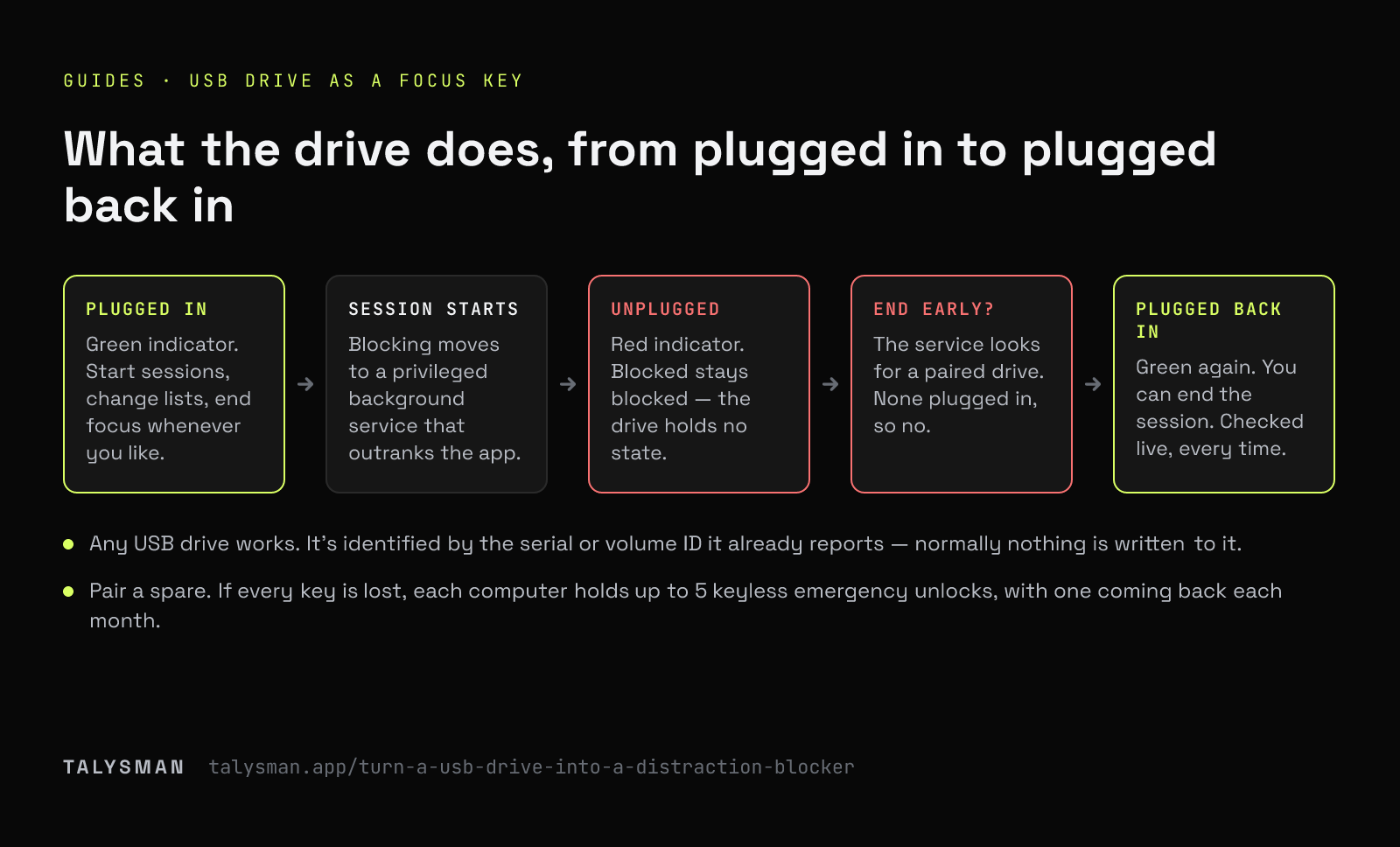
- Plugged in
Talysman shows a green key indicator. You can start sessions, change the blocklist, and end focus whenever you like. Normal drive behaviour otherwise: mount it, copy files to it, eject it.
- Session starts
Blocking is handed to a privileged background service. From here on the app window is just a remote control for something that outranks it.
- Unplugged
The indicator goes red. Blocked stays blocked. Nothing about the session changes — the drive isn't holding any state, it's just absent.
- You try to end early
The service looks for a drive whose identifier matches one you paired. There isn't one, so the answer is no. Quitting the app, killing the service and rebooting all leave the session running, and on Windows and Linux so does uninstalling.
- Plugged back in
Green again. You can end the session. The check is live every time — there's no grace period and no “trusted for 15 minutes”.
Four steps, once
Pick a drive you won't need in the next hour
Any standard USB stick. Capacity is irrelevant — nothing meaningful gets stored on it. The one property that matters is that you're willing to leave it in another room for a couple of hours at a time.
Pair it
Install Talysman, plug the drive in, and pick it from the list of removable drives. It's now a key for this computer. Pair a second drive while you're there — any paired drive unlocks, so a spare is what turns a lost drive into a shrug.
Choose what the key protects
Add the sites that take your afternoons, add the desktop apps that pull you away, or flip to allow-only and permit just the tools the work needs. Start a session now, or schedule the same hours every week.
Unplug it and walk away
Another room, a drawer downstairs, the glovebox. This is the step that does all the work, and it's the step people skip. A key sitting next to the keyboard is a one-click off switch with extra ceremony.
What's on the drive (almost nothing)
Worth being precise about, because a key that holds your data is a key you can't afford to lose.
Normally: nothing at all
Talysman identifies the drive by the hardware serial or volume ID it already reports. In the usual case pairing writes nothing to it.
The exception: one marker file
A drive that reports no usable identifier gets a single small random marker file at pairing, so its presence can still be detected. That's the entire footprint.
Never your data
Your files, your blocklist and your account never touch the drive. It doesn't hold your session either — the background service does.
Still a normal drive
Keep using it for files. It mounts, copies and ejects exactly like it did before you paired it.
As many keys as you want
Pair spares and keep one somewhere safe. Any paired drive unlocks, so losing one is an inconvenience rather than a lockout.
One drive, several computers
Pair the same drive on your laptop and your desktop. Each machine keeps its own list of paired keys.
Why you can't quite build this yourself
Plenty of people have written the script version: watch for a volume to mount, flip some hosts-file entries when it disappears. It works for about a week, and then you remember that you wrote it, that you have administrator rights, and that reverting it takes one command you know by heart.
The hard part was never detecting the drive. It's that the enforcement has to outlive your attempts to end it: a privileged service that restarts when killed, comes back after a reboot with the session intact, an uninstaller that refuses to run mid-session without a key (on Windows and Linux), browser extensions that turn your list into browser-native rules, and with Strict Mode on, browsers without one getting closed instead of left standing open. That's the part that takes a product rather than an afternoon.
What it can't do
It can't help if the drive stays plugged in. The mechanism is the distance, and the distance only exists if you create it.
And with administrator rights on your own machine, a determined person can eventually force past any blocker, this one included. The honest claim is that the cheap exits are gone — not that there are none.
Frequently asked questions
Will any USB drive work?
A standard USB drive, yes. Talysman lists the removable drives it can see and you pick one. Drives that report no usable identifier still work — pairing writes one small marker file so presence can be detected.
Do I have to reformat or dedicate the drive?
No. Keep your files on it and keep using it. Pairing doesn't erase anything and doesn't change how the drive behaves.
What if I lose it mid-session?
Any other paired drive unlocks, which is the argument for pairing a spare today. If you have no spare, the session still ends on its own at the time you set — a session is a session, not a permanent state. And if you can't wait, each computer has five keyless emergency unlocks for life.
Can someone else hold my key?
Sure. It's a physical object; giving it to someone in another building is a perfectly valid configuration, and a stronger one than most software locks. Just remember that you can also pair a second drive, which quietly undoes the arrangement — so pair the spare in front of them or not at all.
What does it cost?
The mechanism is free: 5 blocked websites, unlimited manual sessions, and the key requirement, with no card. Pro adds unlimited sites, desktop app blocking, recurring schedules and unlimited modes, free for 14 days. See pricing.
Go find a drive you're not using
Pair it, block the sites that take your afternoons, and leave it in the kitchen.
Start focusing freeFree forever, no card. Want schedules and app blocking? Try Pro free for 14 days.