Deep work blocker
Deep work distraction blocker: protect the focus window
Free forever for 5 sites · or try Pro free for 14 days
The short answer
A good deep-work blocker does three things: it starts the focus window without relying on willpower, blocks the sites and apps you drift to, and makes leaving the window early a deliberate act rather than a reflex. Talysman does the last part with a physical key — ending a session early needs a paired USB drive plugged in, and you leave the drive in another room.
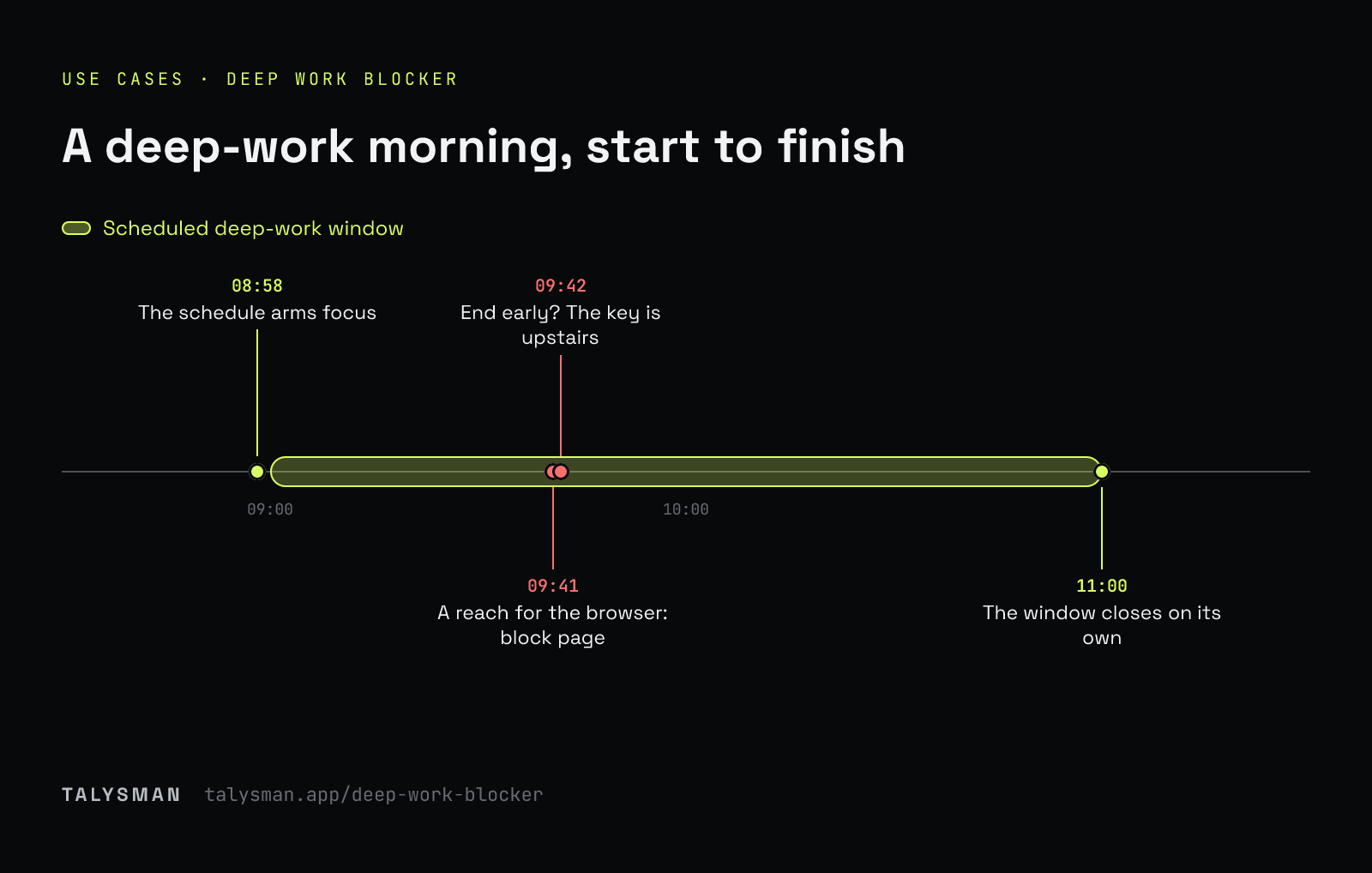
A morning in the window
- 08:58
The schedule arms focus. Everything except the editor, docs and repo is blocked.
- 09:41
The problem gets hard. You reach for the browser and get a block page.
- 09:42
End session. “Insert your key to turn off the blocker.” The key is upstairs.
- 11:00
The window closes on its own. You got the hard part done.
A deep-work template
Copy this, then adjust after a week.
Pick the window
Your best two to three hours, the same time every weekday. Schedule it so it starts without you (Pro).
Choose allow-only, not block
For real deep work, block everything and allow the handful of tools the task needs: your editor's docs, the repo, the one reference site.
Block the apps
Chat, email client, Discord, games. The tab isn't the only door (Pro).
Place the key
Somewhere that takes over a minute to reach. Another floor beats another drawer.
Lock the hours you'll negotiate with
Mark the window locked and even the key won't end it early. Only for hours you're sure about.
Why an exit protects more hours than no exit
Unbreakable locks look like the serious option. In practice people respond to them by locking less: a shorter window, or none on days that might go wrong. A window you can leave — deliberately, on your feet — is a window you'll actually start every morning.
That's the trade-off digital locks vs physical friction covers in detail, and why the strict blockers suit some people better than others.
Frequently asked questions
Is scheduling free?
Recurring schedules are Pro, free for 14 days. Manual sessions are free.
What if something urgent comes up mid-window?
Go get the key. If it's lost, each computer has five lifetime emergency unlocks.
Set up your first deep-work window
Pair a drive, set the window, and put the key upstairs.
Start focusing freeFree forever, no card. Want schedules and app blocking? Try Pro free for 14 days.