Freedom alternative
Freedom alternative for desktop focus: Talysman vs Freedom
Free forever for 5 sites · or try Pro free for 14 days
Last checked
The short answer
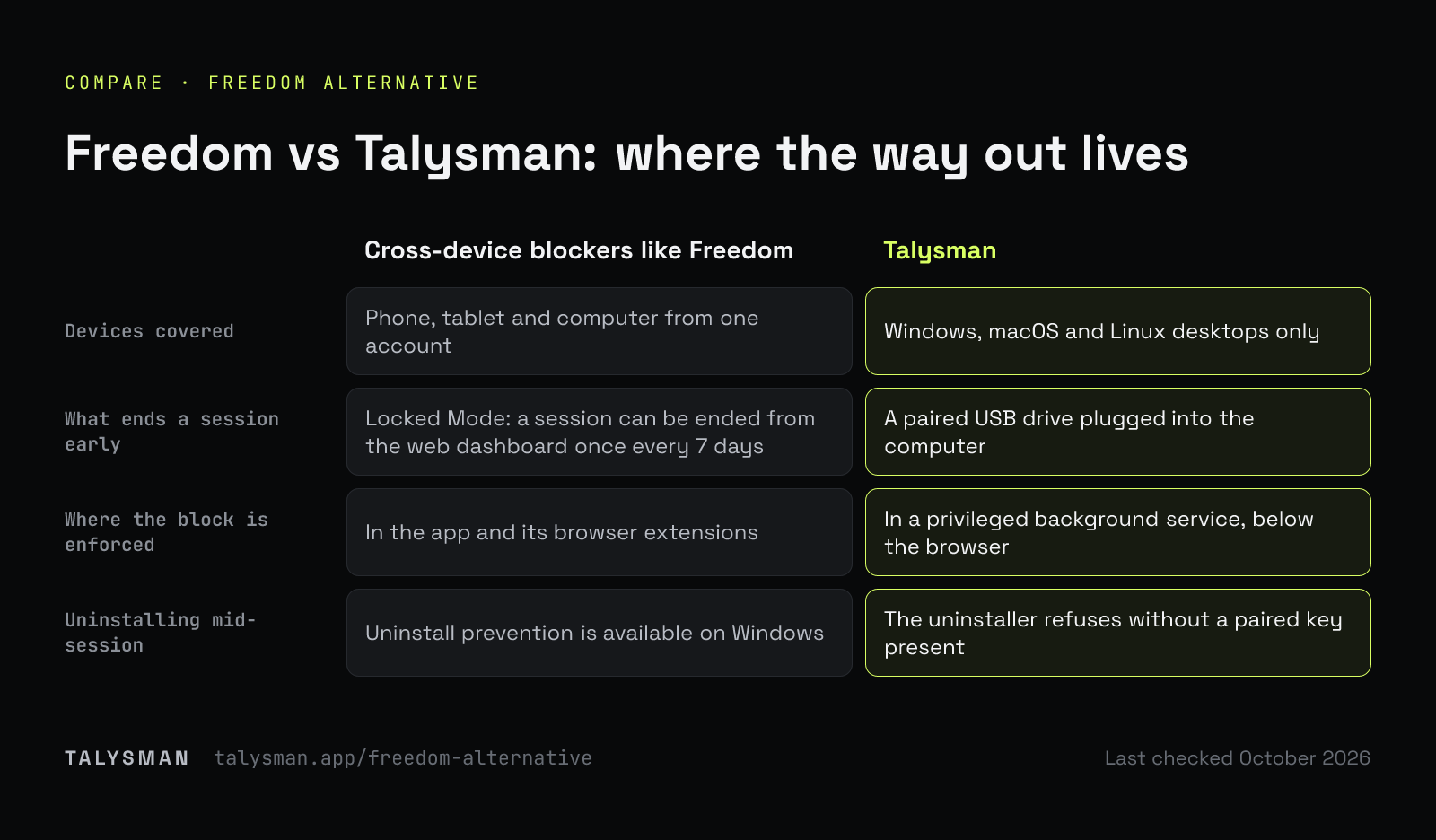
Freedom blocks distractions across your phone, tablet and computer from one account, and its Locked Mode stops you quitting the app or ending a session early. The way out is in software: Freedom lets you end a locked session from its web dashboard once every seven days.
Talysman trades that breadth for a different kind of certainty. It only covers desktops — Windows, macOS and Linux — and ending a focus session early requires a paired USB drive to be physically plugged into the machine. If the drive is in the kitchen, the session holds, and no amount of clicking, quitting, rebooting or uninstalling changes that.
What a physical lock adds
The beat where a software lock and a physical one stop being the same product.
- Session running
Sites blocked in Chrome and Firefox, desktop apps blocked too, everything else on the computer working normally.
- You want out
Forty minutes in, the task turns unpleasant and you go for the off switch.
- The refusal
“Insert your key to turn off the blocker.” The indicator is red. The service checked the machine for a paired drive and didn't find one.
- The workarounds
Quitting the app does nothing. Killing the service restarts it. Rebooting brings the session back. The uninstaller refuses. With Strict Mode on, a browser without the extension gets closed rather than left open.
- The only door
Two rooms away, on a kitchen counter, where you put it while you were thinking clearly. You can go get it. Most of the time you don't.
Two different bets
One covers more devices. One puts the off switch out of reach.
| Cross-device blockers like Freedom | Talysman | |
|---|---|---|
| Devices covered | Phone, tablet and computer from one account | Windows, macOS and Linux desktops only |
| What ends a session early | Locked Mode: a session can be ended from the web dashboard once every 7 days | A paired USB drive plugged into the computer |
| Where the block is enforced | In the app and its browser extensions | In a privileged background service, below the browser |
| If you kill it or reboot | Depends on the product's own protections | The service restarts and the session comes back intact |
| Uninstalling mid-session | Uninstall prevention is available on Windows | The uninstaller refuses without a paired key present |
| Desktop apps, not just sites | Varies by plan and platform | Yes — apps go on the list alongside domains |
| What you have to buy | A subscription | Free for the core mechanism; Pro by subscription or one lifetime payment. The key is a drive you own |
Talysman isn't affiliated with Freedom. Locked Mode details are from Freedom's help center, which is the authority on what Freedom does today.
When Freedom is the better choice
If your phone is the problem, stay with a cross-device tool. Talysman does not block anything on iOS or Android and isn't going to pretend the desktop is the whole story — for a lot of people it genuinely isn't. Same if you need one blocklist synced across a household of devices, or if you work primarily on a tablet.
The case for switching is narrow and specific: your real work happens on a computer, and the sessions you lose are the ones you end yourself, in software, in about five seconds. That's the failure a physical key is for. Everything else about Talysman — the blocklist, the schedules, the modes — is table stakes that any decent blocker has.
What the desktop-only focus buys you
Not covering phones means everything goes into the machine where the work is.
Enforcement below the browser
A privileged service holds the block, so the app window is just a remote control. Closing it changes nothing.
Desktop apps on the list
Discord, Steam, a chat client — blocked as applications, so the distraction can't change shape when the tab closes.
Allow-only mode
Block everything, then permit the handful of tools the job needs. A work computer without buying a second computer.
Locked scheduled windows
Opt in and even the key won't end focus early during the window. It releases on its own when the window is over — or with one of five lifetime emergency unlocks.
Sessions that survive a reboot
State lives in protected storage and the service starts with the machine. A crash isn't an escape hatch.
Browsing that stays private
The extension turns your list into browser-native rules and never receives your URLs, history, page content, or search terms.
The limits
No phone blocking, no tablet blocking, no household sync. Chrome and Firefox have extensions; other browsers are covered by the network-level block, and with Strict Mode on they are closed during focus rather than left open. Blocking is domain-level, so “this YouTube video but not that one” isn't a thing that exists here.
And the usual caveat: with administrator rights on your own machine you can eventually force past any blocker, this one included. The claim is that the cheap exits are gone, not that there are none.
Frequently asked questions
Can I run both?
Yes, and for some people that's the right answer — a cross-device tool for the phone, Talysman for the computer where the deep work happens. They enforce independently.
Does one subscription cover all my computers?
Yes. Pro is tied to your account and covers up to 5 computers at once. Pair the same USB drive on each machine — every computer keeps its own list of paired keys.
What if I lose the key?
Pair spares. Any paired drive unlocks and you can pair as many as you like, so keep one somewhere safe before you need it. If every key is gone, each computer has five keyless emergency unlocks for life, and after one you can pair a new drive.
Can I try it first?
Free covers the whole mechanism with no card: pair a key, block 5 sites, run sessions you can't click your way out of. Download it and test it against a real workday.
Lock down the machine that matters most
Pair a drive you already own, start a session, and leave the key in another room.
Start focusing freeFree forever, no card. Want schedules and app blocking? Try Pro free for 14 days.